
Useful materials
10 ways businesses use QR codes to sell
Website, reviews, promos, catalogues, menus, Wi-Fi, cards, social, events and analytics — ten patterns you can copy this week.
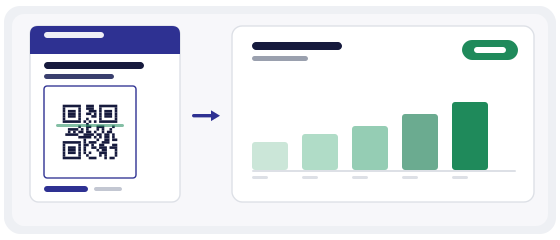
More than a menu
Most small businesses buy their first QR code for a menu or a Wi-Fi sign, then stop. That is a waste, because the expensive part — the print, the stickers, the poster space — is already paid for. The same physical space can carry almost any action you like.
What follows is not a list of features. It is a list of ten things a customer can be asked to do, and the reason each one earns its place on a piece of print you were going to produce anyway.
01 Website
Print, packaging, banners, business cards.
02 Reviews
Lead straight to your review page — shorter path, more reviews.
03 Promos
Poster QR opens the exact offer.
04 Catalogue
In-store QR opens the catalogue on the phone.
05 Menu
Cafés and restaurants link to a digital menu.
06 Wi-Fi
One-scan guest Wi-Fi.
07 vCard
Paper contact becomes a digital save.
08 Social
Offline media to Instagram, TikTok or other channels.
09 Events
Programme, registration or event page in one scan.
10 Analytics
Dynamic QR shows whether people actually scan your campaign.
Every QR needs one clear action
The single most common mistake is a code that does too much. If the destination page offers five different things at once, the person who scanned it will do none of them.
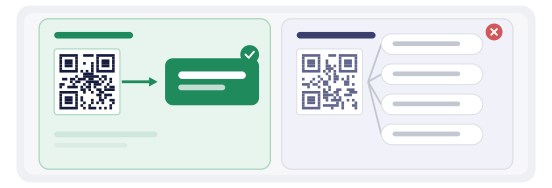
Decide the action before you touch the design. Then remove everything on the landing page that does not support that one action.
One code, one action. If you need two actions, print two codes and label them clearly.
Where the code should physically live
Placement is decided by where the customer's hand and eyes already are. Putting a code where people would have to stop, turn and reach is the same as not printing it.
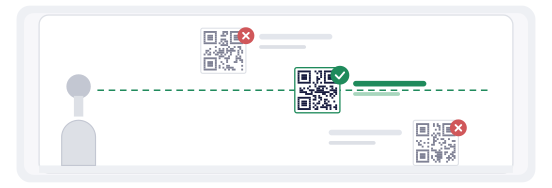
Two sizes matter and they are not the same. The code has to be large enough to scan from the distance people stand, and the label has to be large enough to read from that distance too. A perfect 5 cm code next to a 6 pt caption is still a code nobody uses.
Three campaign patterns that actually work
If you want a starting point rather than a theory, these three are the least risky.
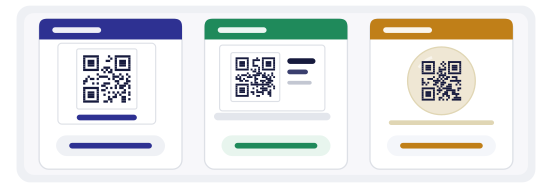
The review ask
A code at the point where service ends — the till, the table, the exit. Destination: the review form itself, not a page that links to it.
The shelf bridge
A code beside a product that opens its full specification, size chart or stock status. Sold in store, explained online.
The print revival
A code on a flyer, poster or van that opens the same offer the print advertises — because a printed URL is typed wrong more often than it is typed at all.
Each of these works because the code removes friction that already exists. None of them require the customer to learn anything new.
Measuring whether it worked
A static code tells you nothing. You print it, you hope, and the only feedback is whether sales moved — which is never attributable to one poster.
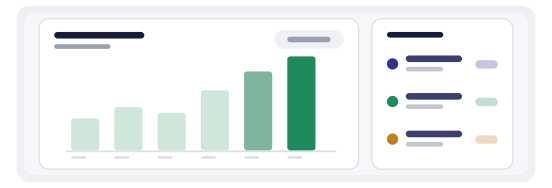
A dynamic code counts scans. That turns print into something you can compare: which placement gets used, which day of the week people scan, whether the new table tent outperforms the old one.
- total scans per code
- scans by day, so you can see the effect of a new placement
- rough location, useful for multi-branch businesses
- a comparison between two codes for the same offer
Numbers this simple settle arguments that otherwise run for months. If a code in the window gets four scans a month and the one by the till gets three hundred, the decision about next quarter's print budget makes itself.
Why we only make dynamic codes
A static code bakes the destination into the pattern. Change your website structure, retire a campaign, or find a typo after the print run — and the only fix is a new run.
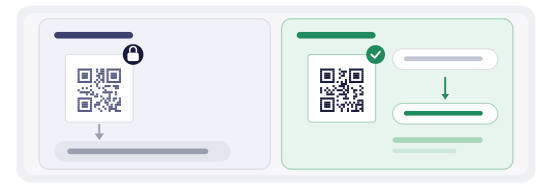
Every code here is dynamic: the printed pattern points at a short redirect we control, and the real destination lives behind it. You can repoint a code that is already on a thousand products, and you can see how often it is scanned.
Print once. Change the destination whenever you like.
The three tools, and when to use each
Businesses usually need all three eventually, but not on the same day.
Start in the generator. When the code has to become a physical object — a shelf card, a table tent, a sticker sheet — move it into the QR Studio, which lays out the full piece with correct margins and print resolution. And before any batch goes live, run a sample through the QR scanner to confirm the destination is what you intended.
Mistakes that cost real money
- printing before testing on two different phones
- a landing page that needs a login to show anything
- a code so small it only works in the studio, not in the shop
- a low-contrast colour scheme that photographs badly
- no label, so nobody knows why they should scan
- one code trying to serve three different campaigns
- never checking the scan numbers, so nothing is ever learned
Every item on that list is free to fix before printing and awkward to fix after.
What a business QR really costs
The code itself is the cheapest part of the project, and it is worth saying so plainly rather than hiding behind pricing pages.
The real cost is physical: the sticker, the tent card, the vinyl, the printer's minimum order. That is precisely why the destination should be changeable. If the code can be repointed, the print investment survives every future campaign; if it cannot, each campaign starts with a new print run.
There is also a time cost that is easy to underestimate. A code takes minutes. The page it points at takes an afternoon, because that page is where the customer either does the thing or leaves. Budget your effort in that direction.
Getting started in one afternoon
Pick one placement that already exists — the till, the table, the shelf, the van — and one action you actually want. Do not plan a full rollout first.
- choose the single action and write it as one sentence
- make sure the destination page works on a phone, not just a desktop
- build the code in the generator and test it on two phones
- print a handful, not a thousand
- place them, then check the scan count after two weeks
Two weeks of real numbers beats any amount of planning. If the code is being scanned, expand it. If it is not, the problem is almost always placement or the missing label — not the code itself.