
Useful materials
QR code security: phishing, fakes and what actually protects you
A QR code is a link with the address hidden. That is not a flaw, it is the whole point of the format — and it is also why a paper sticker on a café table can quietly send a stranger’s money somewhere else. Here is what a code can really do, where fakes actually come from, and the checks that cost ten seconds.
Not sure about a code? The scanner shows the address before it opens.
Check a code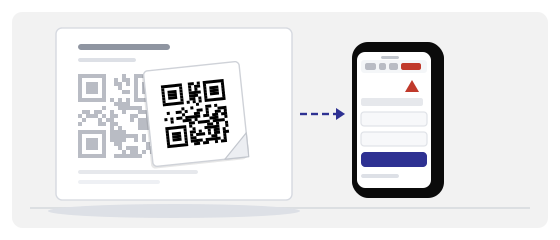
A QR is a link with the address hidden
When a link arrives in a message you can hover over it, or at least see where the tap will take you. A QR removes that step: what you point at is a pattern of squares, and the destination lives inside it where nobody reads it. The security problem is not in the code. The problem is that the one piece of information that would have stopped you is the one piece you cannot see.
Worth saying out loud, because a lot of the panic gets this wrong: nothing is encrypted here and nothing is secret. A QR is plain text drawn as squares. Anyone with a printer can make one, anyone with a phone can read what is inside it, and no amount of “QR security” advice changes that.
What a scan can actually do
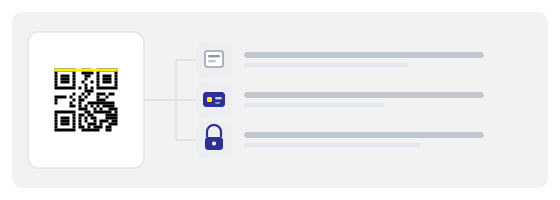
“Scanning” is not one action, and this is where most safety advice gets vague. A code can carry four quite different things:
tel: and sms: codes start a call or a message — sometimes to a number that charges you.The dangerous ones are the codes that ask nothing and show nothing: a Wi-Fi code, a payment code. A page at least gives you something to read before you commit. A connection gives you nothing.
Where the fake actually comes from
Almost never from a “hacked QR”. There is no server inside the pattern to break into — once printed, the pattern is frozen. Fakes come from three ordinary places, and none of them are cryptography:
Someone printed their own sticker over yours. A poster was reprinted by an agency, a printer or a franchise branch with a destination copied wrong. Or the dynamic short link behind the code was repointed — by an owner, by whoever still has the password, or by a service that lapsed and got handed to the next customer.
So the practical question is not “is this code forged”. It is “whose printer made this sticker, and whose account controls where it points”.
Three attacks worth knowing
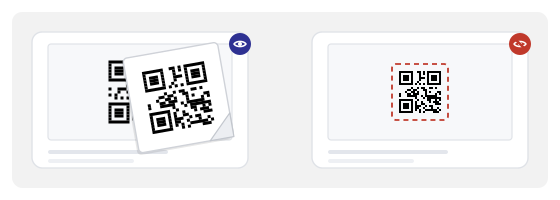
Overlay sticker
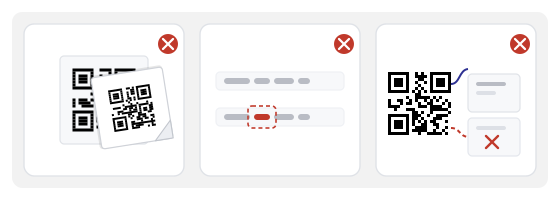
A slightly smaller sticker laid on top of yours: right size, right colours, and at its most effective in the first week, while the code is still new and nobody is looking closely. It costs pennies and it works. The defence is physical — a fixed frame or holder, plus a photo from the day you installed it.
Repointed short link
Whoever holds the analytics account holds the destination. A shared password, an intern, an agency you stopped paying — and the code on four thousand tables now goes where they say. This is the one attack that is not a printing problem at all, and the only fix is custody of the account.
Lookalike domain
No hijack, no hacking: just a domain that reads right at a glance. An extra letter, a different ending, a hyphen where yours has none. On a phone the address bar truncates precisely where the difference sits, so the wrong thing is hidden and the familiar thing is visible.
The ten-second check
Scan with something that shows the destination instead of something that jumps straight into the browser. Read the domain from the right. The part before the first single slash after the domain is the part that counts — a long familiar name in front of a strange ending is the oldest trick there is, and it costs the attacker nothing.
HTTPS is a baseline, not a guarantee: certificates are free, so a phishing page is served over a padlock like everyone else. And a code that leads straight to a login form, a card form or an app install has skipped the step where you would have decided to trust it.
One physical rule covers most of the sticker cases: if the label looks applied on top of another label, the code is the message, and the message is that someone wants your scan.
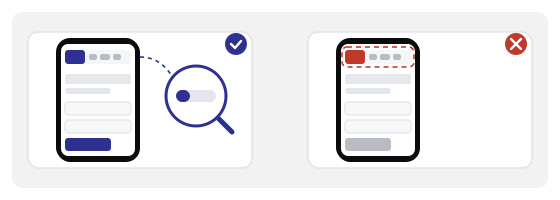
It stays your problem even when it is not your fault
A guest who loses money after scanning a code on your table does not distinguish between your printer and a stranger’s sticker. The conversation happens at your counter, in your shift, with your staff who did nothing wrong. The argument is about trust, and trust does not accept “that was not our code”.
Which is the honest business case for code hygiene: not “secure the internet”, but “keep the argument off your floor”. And it has a practical shape — every code needs an owner, a photograph, a check routine and a little budget for replacing what looks touched.
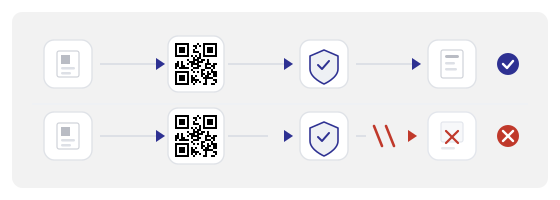
Physical integrity is boring maintenance, and it works
Print codes into something that cannot be quietly layered: a fixed frame, a holder, a matt card in a slot. Loose laminate on a table is an invitation. Photograph every placement on the day you install it and keep the photo where the shift manager can actually find it — the comparison is what catches an overlay, not the looking.
Check monthly, and again after any renovation, repaint or third-party promo installation, because that is when codes get moved or covered. Anything that looks re-applied gets replaced, not cleaned. Two codes per venue matter most, and the person opening the shift can glance at those two in five seconds.
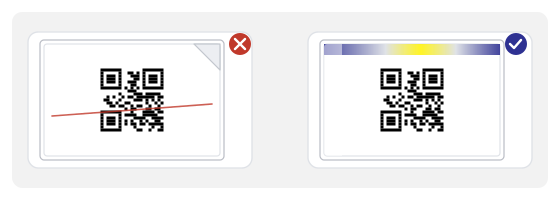
A dynamic code is control, and control is custody
Being able to repoint a printed code is a feature: it survives a menu change, a campaign, a mistake in a URL. But it also means the account is the real asset. The code on the wall is worth exactly as much as the password behind it.
So: two-factor authentication, one named owner, no shared logins, access removed the day a freelancer leaves. Keep a list of every live short link with its current destination and export it once a month, so that “where does this code go” has an answer that does not depend on memory. And retire links properly — a lapsed domain gets bought by someone whose entire business is codes exactly like yours.
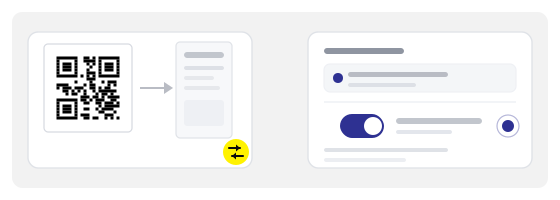
Not everything needs to be a QR
Paying at the counter, ordering when your phone is dead, reading an important notice, getting out of a building: keep the human path open and visible. A code must never be the only route to paying, ordering, entering or understanding something.
This is a security decision, not a courtesy. The moment a code is the only way in, a dead battery, a cracked screen or a wiped camera stops being an inconvenience and becomes a person who cannot use your business.
How to build it in practice
In the QR generator, start from the destination: an https page on a domain you own, reached through a dynamic short link when you want the right to correct it later. Then download the print file at the physical size the code will really have, not the size that looks impressive on a monitor.
The QR Studio handles the part that decides whether your code can be faked convincingly: contrast, quiet zone, matte finish, and the cheapest anti-phishing move available — print your own domain in plain text right under the code. A reader who sees the name before scanning already knows what to expect, and a lookalike suddenly has to look like a lookalike.
Then verify with the QR scanner: scan your own printed code, scan a photograph of it, scan a deliberately scuffed copy. It is the same ten seconds your customer will spend, and it is the only test that happens in the light where the sticker actually lives.
One sentence to give your customers
“If the sticker looks stuck on top of another one, please ask us before you scan.” It is short enough to print next to the code, it turns every guest into an inspector, and it costs nothing. Put it where the code is, not on a policy page nobody opens.
Mistakes that cost a lot
- The code was tested with a camera that opens pages automatically, so nobody ever read the destination.
- A shared login to the link account, with no record of who changed which destination.
- Codes printed once and never photographed, so there is nothing to compare against.
- No domain printed in text, which makes a lookalike indistinguishable from the real thing.
- A payment code that is the only way to pay at the table.
- A Wi-Fi code that connects first and explains nothing afterwards.