Creating QR codes
How the redirect behind a dynamic QR code works
A dynamic code is a short link in disguise. That one detail explains why you can change the address after printing, and where the numbers in your analytics come from.
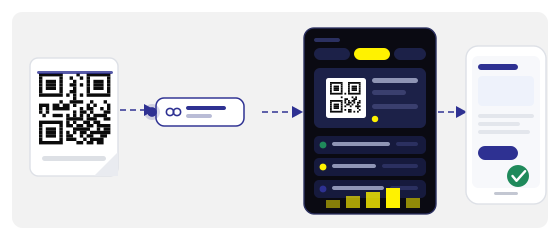
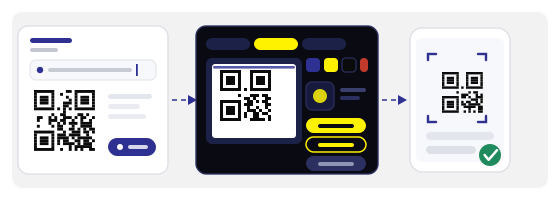
Want a code like this yourself? We have a generator, a scanner and Studio, where you can dress the code in your own colours.
Open StudioThe square holds a short link, not your page
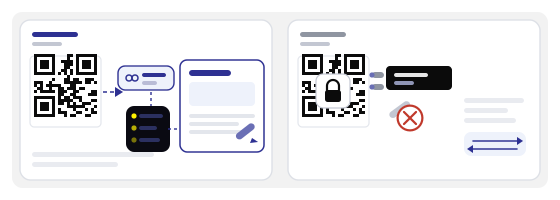
When a phone scans a dynamic code, it does not read your website address. It reads something like qrcode.global/a7k3 — a short address owned by the service.
Everything else — where to send people, what to call the campaign, whether the code is still active — sits on a server, not inside the square. That is why a code on a flyer and a code on a sticker can look identical yet lead to different places.
A static code is the opposite: the address is baked into the pattern forever. When you print a static code, you are printing the address itself.
What happens in the second after a scan
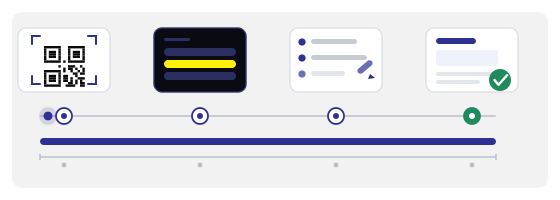
The camera reads the short address and opens it in the browser.
The server checks its records: where this code points right now, whether it is switched on, whether it has expired.
The server logs the visit — time, device type, country, city.
The phone receives a redirect to the real address and loads your page.
The whole trip takes a fraction of a second. If you change the destination later, the very same printed square sends people to the new page — no reprint, no new stickers.
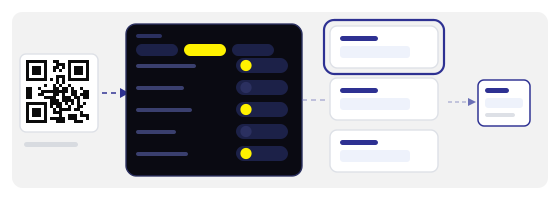
What else that middle step can do
A redirect is not just "send them on". Between the scan and the page there is a small place where a decision can be made.
Each of those is a line in a settings screen, not another print run. That is exactly why dynamic codes get used for campaigns that outlive one batch of printing.
What the extra step costs
An honest answer: a few hundred milliseconds on the first visit. After that the browser knows the way, and later scans from the same phone go faster.
In practice nobody notices, because people already spend a second lifting the phone and aiming the camera. But if the code leads to something that has to open instantly — a payment at the till, a turnstile, a boarding pass — do not put a middle link in front of it.
What gets counted and what does not
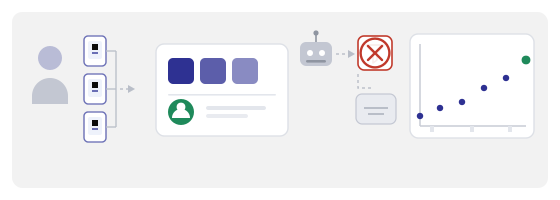
The redirect sees every request. That is where the figures come from: how many scans, from which cities, on which devices, at which hours.
But it is not that simple. The same phone can open a code three times — that is three scans and one person. Messengers sometimes check links on their own, and that looks like a scan too, even though nobody scanned anything.
So watch the trend rather than the absolute number: more or fewer, on which days, after which change. Absolute figures lie; direction almost never does.
Privacy, plainly
We keep the log minimal: country, city, device type, time. No names, no contacts, no precise coordinates, no history of what the person did next on the site.
That is enough to answer "is this campaign working" and not enough to identify anybody. If you need names and phone numbers, collect them separately and with separate consent — a QR code does not bring them by itself.
When you do not need a dynamic code
Sometimes a plain static code is the better choice, and that is fine.
The rule is simple: if you do not need to change the address and you do not need statistics, make a static code and forget about it.
What happens if the service shuts down
It is a fair question, and worth asking before you print ten thousand stickers with somebody else's domain inside.
So before a big run, save yourself a list of the short addresses and where each one points. If a service ever disappears, at least you know what you lost and can warn people or reprint selectively instead of everything at once.
How to do it in practice
Create the dynamic code in the generator: enter the address, name the campaign, and get the short link straight away. Then style it in the QR Studio — colours, logo, a template for the size you need.
Before printing, run the finished square through the QR scanner: it shows the short address and where that address points right now. You catch the mistake on screen instead of on paper.